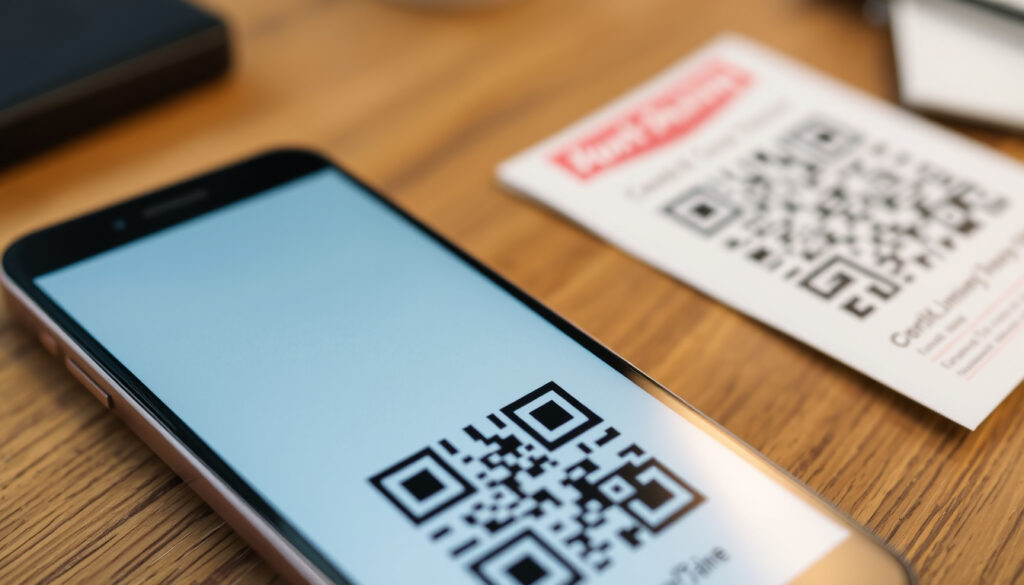
How to Make a QR Code for Free: Static vs Dynamic Guide
Anyone who’s ever paused over a printed QR code — menu, poster, payment sticker — already knows the square is more than a convenience. It’s a portable link you can create in under two minutes for nothing, and the FBI warns that the same square can be tampered with to steal login and financial information.
QR code scan growth (2023): 96% increase ·
Marketers using dynamic QR codes: 45% ·
Static QR code lifespan: Indefinite ·
Average cost of free QR generator: $0 ·
Reported QR phishing incidents (2023): Over 200,000
Quick snapshot
- Static QR codes embed the data in the image, so they have no built-in expiration (QRKIT)
- Dynamic QR codes route through a provider’s redirect, so the destination URL can be changed after the code is printed (QR Code Generator)
- QR-code scams are an active threat: tampered codes can lead to credential-stealing pages (Canadian Centre for Cyber Security)
- Whether a free dynamic code keeps working forever — free plans add scan caps and can change their terms (QRKIT)
- How long a dynamic code lasts comes down to the provider keeping its redirect service alive
- January 2022 — the FBI public service announcement on QR-code scams, renewed since (quoted below) (QR Waypoint)
- Monthly resets are the quiet deadline: QR Waypoint restarts its free-plan scan counter on the first of each month (QR Waypoint)
Six decision points, one pattern: the permanent option is free, and the trackable option is rented.
| Fact | Value | Source |
|---|---|---|
| Static QR code lifespan | Indefinite (as long as printed) | QR TIGER |
| Dynamic QR code lifespan | As long as the service is active | QR Code Generator |
| Can a dynamic code be edited after printing? | Yes — the destination URL can change without reprinting | QR Waypoint |
| Free dynamic QR code tracking | Varies by provider — most free plans cap scans; Hovercode’s free tier advertises unlimited scans and analytics | Hovercode |
| QRKIT free plan | 1 dynamic code + 100 dynamic scans per month, with basic counting and about 30 days of history | QRKIT |
| FBI QR-code advisory | January 2022, renewed since — avoid scanning untrusted codes | FBI Public Service Announcement (quoted below) |
How do you make your own QR code for free?
Free QR code generators are everywhere — design tools like Canva, website builders like Wix, and dedicated platforms such as QR TIGER and QR Code Generator. The basic recipe is identical on all of them: choose the content type, paste the destination data, customize the look, generate, download, and test. Because a static code stores its destination data directly in the image, no subscription is attached to the code itself — as the key-facts row above shows, that’s why static codes don’t expire.
You pay nothing for the code. The moment you print it, it becomes a self-contained object with no server bill and no account that can later stop serving it.
How to make a QR code on iPhone without an app?
- Open any free QR generator in Safari — the output is an image you save to Photos, no app install needed.
- Use the iPhone’s built-in Shortcuts app, which includes a “Generate QR Code” action for text or links.
- Share a page from Safari to a QR shortcut and save the resulting code as an image.
No dedicated QR app is required. Mobile browsers can open any free generator and save the result to the camera roll, and the iPhone’s Shortcuts app can turn a link into a scannable image in one action. The code itself is just data encoded as pixels — the tool is only a convenience.
Is Wix QR code free?
- Yes — Wix’s QR generator is free to use, and static codes created there don’t carry a built-in expiry date.
- That’s not a Wix anomaly; it’s how static codes behave everywhere, as the table above shows.
- You’ll only pay when you want tracking or editable destinations — the dynamic-code features.
What is a dynamic QR code?
A dynamic QR code doesn’t store your destination URL in the printed pattern. It encodes a short link that points to the provider’s redirect service, and that service forwards the scanner wherever you want — today, next month, or after you’ve changed the destination completely (QR Code Generator). The printed code never changes; the redirect does.
Static codes, by contrast, are burned into the image at creation. They can’t be edited, and they can’t be tracked, because no provider is in the middle to log the scan (QR TIGER).
Static codes are free and permanent but blind — no edits, no analytics. Dynamic codes are trackable and editable but rented: free tiers meter scans, and paid plans turn your printed campaign into a subscription.
Free dynamic plans exist, but they are metered. QRKIT’s free tier, listed in the table above, includes one dynamic code and 100 dynamic scans per month — a good example of the ceiling. QR Waypoint advertises a free plan with three active dynamic codes and 1,000 scans per month (QR Waypoint). Spot the pattern: “free” is tied to a monthly cap that keeps you inside the provider’s ecosystem.
Can I track QR code scans?
- Number of scans and when they happen.
- Device type, IP address, and approximate location of each scanner.
- Information entered on the destination site after the scan — and, in some setups, cookies used for marketing.
Yes — but the depth of detail depends on the provider and plan. Some free plans include real analytics: Hovercode advertises unlimited scans and analytics on its free tier (Hovercode). The Canadian Centre for Cyber Security — Canada’s federal cyber-security agency — cautions that QR tracking can expose metadata such as device type, IP address, approximate location, and data entered on the destination site, and that tracking may involve cookies and other activity collection used for marketing (Canadian Centre for Cyber Security). Scan tracking is a feature, but it’s also a privacy consideration for the person doing the scanning.
The catch: a dynamic code is rented convenience. Your printed material depends on the provider’s redirect staying alive, and free tiers meter the scans — so the same service that gives you analytics can also cut the code off mid-campaign.
The implication: choosing dynamic means accepting a dependency on a third-party service.
How secure are QR codes?
QR codes are not malicious by design — they are links wearing a pixel costume. But because humans can’t read them by eye, the usual “check the domain before you click” moment happens after the scan, if at all. The Canadian Centre for Cyber Security warns that QR codes can direct users to convincing phishing websites that steal credentials, payment details, or other personal information, and that malicious codes may trigger malware downloads or other harmful actions. Threat actors can also clone an authentic code or place a malicious replacement over a legitimate printed one (Canadian Centre for Cyber Security). That sticker over the parking meter is a security decision, not just a design choice.
What is the FBI warning about QR codes?
The FBI’s warning is unambiguous: fraudsters can tamper with QR codes to redirect victims to malicious sites that steal login and financial information. The agency’s caution, first issued in January 2022 and renewed since, matters more as QR payments spread — a swapped code on a meter or a poster costs nothing to plant and everything to scan.
The timing matters because QR codes became a default interface, not a novelty. A code that offers “scan to pay” or “scan to log in” is exactly what an attacker wants you to trust without looking.
Can someone take money from my QR code?
- No — scanning a QR code cannot initiate a transfer or charge a card on its own.
- Yes — if the code leads to a lookalike payment page and you enter your details, the attacker gets them.
- The common denominator: money moves only after human action — entering credentials, approving a charge, or installing malware that captures data.
The mechanism matters. The code is a courier, not a thief. The risk materializes when the scan lands on a convincing phishing page and the user hands over the information. That’s why the security guidance cited above treats QR codes like untrusted links: preview the destination URL before entering anything, and avoid scanning codes stuck in public places.
What is the downside of QR codes?
QR codes solve one problem — moving a person from the physical world to a digital page — and create a few others. Security is the loudest, but it isn’t the only one. Every scan depends on a smartphone with a working camera, a connection, and a user willing to point and trust. Drop any of those and the code silently fails.
Where should you not use QR codes?
- In low-connectivity areas, where the scan works but the destination page never loads.
- On surfaces anyone can reach — public meters, unattended posters, shared notice boards — where a replacement sticker can hide in plain sight.
- In small-format print where the code shrinks below reliable scanning size.
- In high-traffic spots without a label explaining what the code is for.
A code without context is a mystery object, and people don’t scan what they don’t trust. A single bad experience — a broken link, a sketchy redirect — trains people to ignore every future code, including the legitimate one.
What are common QR code mistakes?
- No context label telling people what they’re scanning and why.
- A dead URL behind the code — live at print time, broken a month later.
- Low-contrast designs that look sharp on screen and fail on paper.
- A static code pointing at a destination that was always going to change.
Most of these mistakes share one root: treating the QR code as decoration instead of infrastructure. The fix is test-before-print — scan the final file with more than one phone, confirm the URL, and then print. If the destination might change, choose a dynamic code with a budget that matches the campaign, not a free tier that caps scans.
How long will a QR code last?
This is where the static-versus-dynamic choice stops being technical and becomes financial. A static QR code embeds its payload directly in the image, so nothing expires server-side. As the table above shows, its lifespan is effectively indefinite as long as the printed material survives and the destination stays available (QR TIGER).
A dynamic code lasts exactly as long as the provider keeps the redirect active and your plan affords the scans. Free tiers are metered — QRKIT’s plan, listed above, caps at 100 dynamic scans a month — and a printed campaign that exceeds the cap simply stops working until the counter resets.
Can I get a free QR code that lasts forever?
- Yes, for static codes: no expiry is built into the format — the data lives in the image.
- Not really, for dynamic codes: free plans tie the code to scan caps, history windows, and terms that can change.
- The honest answer: permanent is free; trackable is rented.
Some free dynamic offers are genuinely generous, as the tracking section above showed with Hovercode’s unlimited-scan free tier. But “advertised” is the operative word: free-tier terms change faster than printed posters do, which is exactly why the permanence question needs a source check, not a screenshot.
Will we ever run out of QR codes?
The format is finite — version 40 offers up to 2^2048 possible combinations — but the ceiling is so high that exhaustion is not a real constraint. The practical limit has never been the number of codes; it’s the lifespan of the destination URL.
The reason the question keeps coming up is that people confuse the code with the link. A ten-year-old static code still scans; the site it pointed to often doesn’t. That’s the thing that actually expires.
What this means: if your destination URL is permanent, a free static code is genuinely free forever. If it isn’t, you’re not buying a QR code — you’re renting a redirect, and the rent can change.
The pattern: the format is permanent, but the provider’s pricing determines the actual lifespan.
Step-by-Step: Making Your First QR Code
Six steps stand between a blank tab and a printed code. Testing is the one you shouldn’t skip.
- Choose a generator you trust. Wix, Canva, QR Code Generator, QR TIGER, or QRKIT — any free generator works for a static code.
- Decide static or dynamic first. Permanent destination? Static. Likely to change? Dynamic — and check the scan caps on free plans.
- Enter the content. URL, text, contact card, or Wi-Fi credentials — generators handle all of these.
- Customize, but keep contrast high. Logos and colors are fine; low contrast and tiny sizes are the top scanning failures.
- Generate and download at the highest resolution. For print, prefer SVG or PDF over a screen-sized PNG.
- Test with more than one phone. Scan, check the URL, then print.
Test the final file with the phone you expect customers to use. A code that fails at the point of scan is a dead link in the physical world.
The security angle belongs in the testing step too. Treat the resulting URL as untrusted until you’ve seen it — that single habit prevents most quishing outcomes.
The takeaway: build the code as if it will outlive its URL — because a static one probably will.
What’s Confirmed vs. What’s Unclear
After separating what the sources agree on from what depends on a provider’s roadmap, the uncertainties cluster around free plans — not around the format itself.
Confirmed facts
- Static QR codes don’t expire as long as the printed material survives and the destination works — a point made above by QR TIGER and QRKIT.
- Dynamic QR codes can be edited and tracked through the provider’s redirect service — QR Code Generator’s pricing page is explicit about this.
- Tampered QR codes can redirect to phishing and malware pages, according to the Canadian Centre for Cyber Security (Canadian Centre for Cyber Security).
What’s unclear
- Whether a free dynamic code keeps working indefinitely — free plans cap scans and can change terms, as QRKIT’s pricing page warns.
- Whether QR codes could ever run out — theoretically finite, practically inexhaustible.
- Whether “free forever” offers from QR vendors hold — the provider’s business model decides, not the format.
- Whether today’s unlimited-scan free tiers stay unlimited — Hovercode’s offer is a snapshot of current pricing, not a lifetime guarantee.
The pattern: the format is permanent; the provider is temporary. Any uncertainty worth worrying about comes from the business layer, not the pixels.
What the Experts Say
“Fraudsters can tamper with QR codes to redirect victims to malicious sites that steal login and financial information.”
FBI Public Service Announcement
“Always verify the source of a QR code before scanning, especially in public places.”
National Cybersecurity Alliance
The two warnings overlap: verify the source, preview the destination, and treat a public code as an untrusted link until proven otherwise. The implication: the person who prints the code controls the risk — a verified URL and a labeled code are the cheapest insurance a campaign can buy.
QR codes are a rare tool that got simpler and riskier at the same time. The free static code you can create in two minutes will probably outlive the poster it’s printed on — and the dynamic code that tracks every scan is tied to a provider’s pricing page, not to your campaign. For a small business printing its first QR code, the choice is clear: use a static code for a permanent URL, or budget for a paid dynamic plan if scan tracking matters — because free plans can lock your printed material to a monthly scan cap, and the person holding the phone won’t know the difference when the code fails.
Frequently asked questions
How do I create a QR code for a photo?
Upload the photo somewhere it has a stable URL, then paste that URL into any free QR generator. A static code is enough — it will keep working as long as the photo stays available at that address.
What is the best free QR code generator?
The one that fits your use case. Wix and Canva are beginner-friendly; QR Code Generator, QR TIGER, QRKIT, and QR Waypoint are built for campaigns. For a permanent static code, all of them work, because the code stores its data in the image and no subscription is attached.
Can I track a QR code without a paid account?
In some cases, yes. Hovercode advertises unlimited scans and analytics on its free plan, while QRKIT’s free plan includes basic scan counting and about 30 days of history. Deeper and long-term analytics usually require a paid plan.
How do I add a logo to a QR code?
Use the generator’s logo or branding option during customization. Keep the logo small relative to the code and preserve the quiet zone around it — heavy central coverage reduces scan reliability.
Are QR codes safe for payment transactions?
Scanning itself can’t move money. The danger is a lookalike payment page after the scan. Only use codes the business itself displayed, and check the URL before entering card details.
Related reading
Social Media EmbedTree: What It Is and How to Use It ·
How Does Zelle Work? Fees, Limits, and Safety Compared
More related posts
 Voyager of the Seas: Current Location, Itinerary & Tips
 Best Pollo Guisado Near Me: Dublin OH Delivery Guide
 Bank of America Hours: Branch, ATM & Customer Service Times
 Epic Games Free Games List: How to Claim, History & GTA V Status
 Queen Size Bed Frame Ireland: Dimensions & Buying Guide
 Asian Cucumber Salad Recipe: 4 Regional Variations
 Apple Federal Credit Union – Membership Guide and Rates
 Are Mushrooms Good for You? Health Benefits & Risks