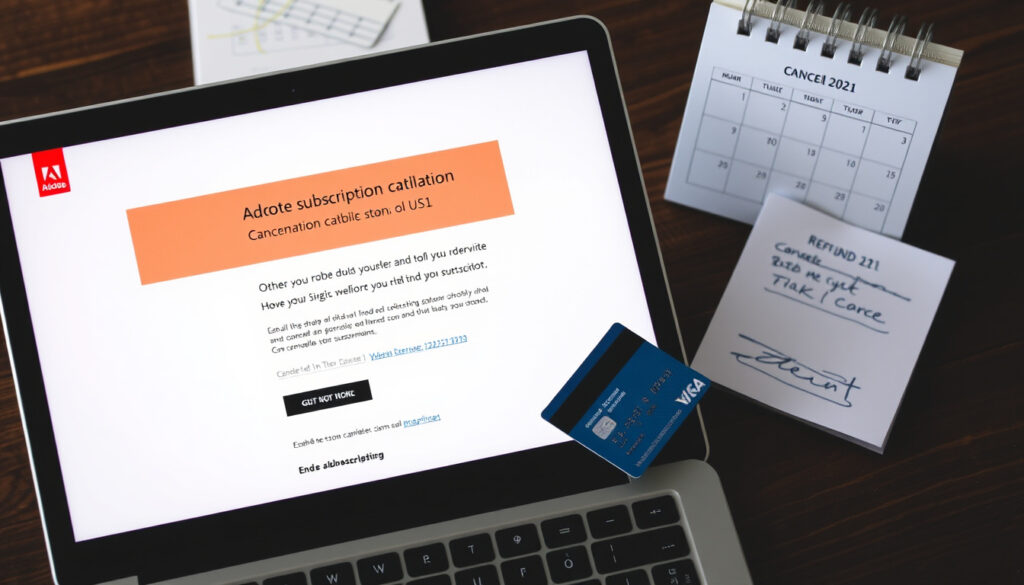
How to Cancel Adobe Subscription: Fees, Steps & Refunds
Anyone who’s tried to cancel an Adobe subscription has probably hit that moment of frustration — hunting for a cancel button, only to find a fee or a confusing redirect. This guide walks through exactly how to cancel your Adobe subscription, what penalties you might face depending on your plan, and what consumer rights protect you, drawing on official Adobe policies and recent legal challenges.
Adobe monthly subscriptions active (2025): over 30 million ·
Early termination fee range: $0 to 50% of remaining contract ·
Annual plan cancellation penalty (typical): 50% of remaining balance ·
Month-to-month plan cancellation penalty: None ·
Refund window after purchase: 14 days ·
Adobe cancellation fee lawsuits filed: 2 (2023, 2024)
Quick snapshot
- Month-to-month plans have no cancellation fee (Adobe Legal)
- Annual plan cancellation fee is 50% of remaining balance (Adobe Legal)
- Free trial canceled before end date incurs no charge (Adobe Legal UAE)
- Whether Adobe will waive the cancellation fee upon request
- Outcome of 2023 and 2024 class-action lawsuits
- If removing a payment method triggers a different cancellation process
- 2023: First class-action lawsuit filed over fee transparency
- 2024: Second class-action lawsuit filed; Adobe updates cancellation flow
- 2025: Adobe continues month-to-month and annual plans with disclosed fee structure
- Check your plan type before starting cancellation
- Cancel within 14 days of purchase for a full refund
- Save your files from cloud storage before canceling
The key facts about Adobe’s cancellation policies are summarized below.
| Fact | Detail |
|---|---|
| Number of Adobe subscriptions active | 30+ million (2025 estimate) |
| Monthly plan cancellation fee | None |
| Annual plan cancellation fee | 50% of remaining balance |
| Free trial cancellation deadline | Before trial end date |
| Refund period after purchase | 14 days |
| Class-action lawsuits filed | 2 (2023, 2024) |
| Grace period after cancellation | 30 days |
How do I cancel my Adobe subscription without paying the fee?
Check your plan type first
Before you hit cancel, the single most important step is confirming whether you’re on a month-to-month or an annual plan. Adobe’s policy draws a sharp line between the two. According to Adobe Legal, annual plans canceled after 14 days trigger an early-termination charge of 50% of the remaining contract obligation. Month-to-month plans carry no such penalty. A quick visit to your Adobe Account page, under Plans & payment, shows your plan type.
A reader on a month-to-month plan can cancel right now with zero penalty. Annual plan holders face a hard choice: pay the fee or wait until the contract term ends.
Steps to cancel a month-to-month plan with no fee
- Sign in to your Adobe Account at Adobe Help Center.
- Navigate to Plans & payment, then select Manage plan for the subscription you want to cancel.
- Click Cancel plan and follow the on-screen prompts. Adobe says service usually continues until the end of the billing period (Adobe Help Center).
- Save the cancellation confirmation email — it’s proof the cancellation succeeded (Adobe Help Center).
The implication: Month-to-month users can cancel freely, but they lose access to Adobe apps and cloud storage at the end of the billing period.
Options for annual plan holders
- Cancel within the first 14 days of purchase for a full refund, per Adobe Help Center.
- After 14 days, canceling incurs a 50% penalty on the remaining contract value (Adobe Legal).
- Contact Adobe support directly if the cancel option is missing or hidden in the portal.
What this means: Annual plan holders have a narrow 14-day window to exit without cost. After that, the fee is a contractual obligation — but some users report success requesting a waiver by contacting support.
What is the penalty for canceling an Adobe subscription?
Annual plan vs month-to-month: penalty comparison
Two plans, two very different outcomes.
| Plan type | Cancellation fee | When fee applies | Refund eligibility |
|---|---|---|---|
| Month-to-month | None | N/A | No refund (service ends at billing period) |
| Annual (paid monthly) | 50% of remaining contract balance | After 14-day refund window | Prorated after fee deduction |
| Annual (paid upfront) | 50% of remaining contract value | After 14-day refund window | Prorated after fee deduction |
| Free trial | None | Only if trial converts to paid | Full refund within 14 days of conversion |
The pattern: Month-to-month is essentially fee-free, while annual plans penalize early exit with a 50% charge — a design that rewards commitment and punishes buyer’s remorse.
How the early termination fee is calculated
Adobe calculates the penalty as 50% of the remaining contract value at the time of cancellation. For example, if you’re 6 months into a 12-month annual plan with a $600 total commitment, the remaining balance is $300, and the fee would be $150. For California customers, the fee is capped at 30% of the annual commitment, according to Adobe Legal.
Historical context: why Adobe has a cancellation fee
Adobe introduced the early-termination fee to compensate for the discount it offers on annual plans compared to month-to-month pricing. The discount is effectively a loan against future subscription revenue. The Federal Trade Commission (FTC) has guidelines on ‘negative option’ billing, which require clear disclosure of such fees. Two class-action lawsuits — in 2023 and 2024 — allege that Adobe did not clearly disclose the fee, making it a deceptive practice. The outcome of these lawsuits remains unclear.
For consumers, the fee exists because Adobe structured annual plans with a hidden trade-off: a lower monthly price in exchange for a penalty if you leave early. The lawsuits challenge whether that trade-off was ever transparent.
The implication: Adobe’s fee structure is designed to lock in annual subscribers, and the legal challenges may force greater transparency.
Why won’t Adobe let me cancel my subscription?
Common reasons for cancellation difficulties
- The cancel button is sometimes hard to find in the account portal. Adobe’s user interface changes can temporarily hide the cancel link.
- You must sign in and navigate to Plans & payment, then Manage plan, before the cancel option appears (Adobe Help Center).
- Canceling one plan does not automatically cancel other active plans — you may have multiple subscriptions (Adobe Help Center).
What to do: If the cancel option is missing, contact Adobe support directly via phone or chat. Some users on Reddit report that a support agent can process the cancellation and sometimes waive the fee.
Account portal navigation issues
Adobe’s account portal is designed for plan management, not quick cancellation. The cancel link may be buried under a “Manage plan” button that looks like a subscription upgrade prompt. A 2024 update to the cancellation flow, prompted by the second lawsuit, made the button slightly more visible, but anecdotal reports suggest it still requires careful clicking.
The catch: Adobe’s design prioritizes retention over transparency. The cancel button isn’t hidden — but it’s not where most users expect it.
What to do if the cancel option is hidden or missing
- Try a different browser or clear your cache.
- Use the Adobe cancellation phone number: 1-800-833-6687.
- Contact support via chat on the Adobe Help Center page.
- If you still can’t cancel, request a callback from Adobe’s billing team.
The trade-off: Calling support adds time but may yield a waiver of the cancellation fee, especially if you cite the ongoing lawsuits or argue the fee was not clearly disclosed.
What happens if I just stop paying my Adobe subscription?
Consequences of non-payment for monthly plans
- Adobe will suspend your account after a grace period, usually 30 days (Adobe Help Center).
- You lose access to Adobe apps and cloud storage.
- Stopping payment does not cancel the contract; fees may still accrue, and for annual plans, Adobe may send the debt to collections.
What this means: Non-payment is not a free exit. For annual plans, the debt can follow you, and your credit score could take a hit.
Consequences of non-payment for annual plans
For annual plans, the consequences are more severe. Adobe may send the remaining balance to a collections agency, which can affect your credit report. The company’s subscription terms explicitly state that non-payment does not cancel the agreement — you remain liable for the full contract value (Adobe Legal).
Impact on access to Adobe apps and files
You lose access to cloud storage and most apps immediately after suspension. Locally saved files remain on your device but cannot be edited without a subscription. Adobe offers a 30-day grace period to restore your plan and recover access, but after that, files may be permanently deleted.
The pattern: The risk of non-payment is not just losing access — it’s a financial liability that can outlast the subscription itself.
Will I lose everything if I cancel my Adobe subscription?
What happens to your files and projects
- You lose access to cloud storage and most apps immediately after cancellation (Adobe Help Center).
- Locally saved files remain on your device but become read-only — you can view them but not edit without a subscription.
- You can download your files from cloud storage before cancellation.
What to watch: Adobe’s 30-day grace period lets you restore your plan and recover full access, but after that, cloud-stored files are subject to permanent deletion.
Can you still access downloaded software?
Adobe Creative Cloud apps that you downloaded to your computer will remain on your hard drive. However, they will switch to a free-tier mode, which means you can open files but not save changes or use most tools. The software essentially becomes a viewer.
How to back up your data before cancellation
- Sign in to your Adobe Account and navigate to the cloud storage section.
- Select all files and folders, then download them to your local device.
- Export important projects in a universal format (e.g., PDF, PNG, JPEG) to ensure they remain usable.
- Consider using a free alternative like GIMP or Canva for editing after cancellation.
The takeaway: Backing up before cancellation is the only way to avoid losing access to your work permanently.
How do I stop automatic payments on Adobe?
Steps to remove payment method from Adobe account
Removing a payment method from your Adobe account does not cancel the subscription. Adobe’s system will still attempt to charge the card on file, and if it fails, the account goes into suspension. To stop payments, you must cancel the subscription through the account portal (Adobe Help Center).
Canceling the subscription vs stopping payments
- Canceling the subscription: Ends the contract and stops future payments. You get a confirmation email.
- Stopping payments: Removes the payment method but does not end the contract. Adobe may still bill you and send the debt to collections.
The catch: Removing a payment method is not a shortcut. It creates more problems than it solves.
Contacting your bank as a last resort
If you cannot cancel online, you can call Adobe customer support. If that fails, instructing your bank to stop payments is a last resort — but it may result in collections actions and a negative mark on your credit report. The Adobe Help Center warns that this does not cancel the contract.
The trade-off: A bank stop-payment stops the immediate charge but risks a collections hit. Canceling through official channels is safer.
Is it illegal for Adobe to charge a cancellation fee?
Legal basis for early termination fees
Cancellation fees are legal if clearly disclosed in the terms of service. Adobe’s subscription terms state the 50% penalty for annual plans, and the company argues that users agree to these terms when purchasing. However, the FTC’s guidelines on negative option billing require that such fees be “clear and conspicuous” at the point of sale.
Ongoing lawsuits against Adobe’s cancellation practices
Two class-action lawsuits, filed in 2023 and 2024, allege that Adobe did not clearly disclose the cancellation fee, making it a deceptive and unfair practice. The lawsuits are ongoing, and their outcomes could reshape how Adobe — and other subscription services — handle early-termination fees.
Consumer rights and how to dispute the fee
- If you were not clearly informed of the fee, you may dispute the charge with your credit card company.
- Contact your state’s consumer protection office for guidance.
- Cite the FTC’s negative option billing rules in your dispute.
The implication: The lawsuits give consumers leverage. If you feel the fee was hidden, you have legal grounds to push back.
Summary
Adobe’s cancellation policy is a two-tier system: month-to-month users can walk away free, while annual plan holders face a 50% penalty. The key is knowing your plan type and acting within the 14-day refund window. For consumers in the US, the ongoing lawsuits and FTC guidelines offer a path to dispute unfair fees. Adobe users looking to cut costs must choose: cancel before the next billing cycle, negotiate a waiver, or risk paying for a service they no longer use.
helpx.adobe.com, helpx.adobe.com, community.adobe.com, helpx.adobe.com, canadianpublic.net, community.adobe.com, reddit.com
Frequently asked questions
Can I cancel my Adobe subscription at any time?
Yes, you can cancel at any time through your Adobe Account portal. However, the penalty depends on your plan type. Month-to-month plans can be canceled anytime without fee, while annual plans incur a 50% penalty if canceled after the 14-day refund window.
How long does it take to process an Adobe cancellation?
Cancellation is usually immediate in the account portal. Service continues until the end of the billing period. Refunds, if applicable, typically take 12 to 14 business days to process, according to Adobe Community.
Will I get a refund if I cancel my Adobe subscription early?
If you cancel within 14 days of the initial purchase, you are eligible for a full refund, per Adobe Help Center. After 14 days, annual plan holders receive a prorated refund minus the 50% cancellation fee.
Can I cancel my Adobe subscription through the mobile app?
Adobe does not offer a dedicated cancellation option in its mobile apps. You must use the web browser to sign in to your Adobe Account and navigate to Plans & payment to cancel.
What is the best way to contact Adobe to cancel?
The quickest way is to cancel online through the account portal. If you encounter issues, call Adobe support at 1-800-833-6687 or use the chat feature on the Adobe Help Center.
Do I need to provide a reason to cancel Adobe?
No, you are not required to provide a reason. Adobe may ask for feedback during the cancellation process, but you can skip it.
Can I pause my Adobe subscription instead of canceling?
Adobe does not offer a pause option for subscriptions. You must cancel and then resubscribe later if you want to resume.
More related posts
 5’10” in cm: Conversion, Average Height & Perception
 Capital One 360 Login: How to Access Your Online Account
 What Is Body Dysmorphia? Symptoms, Causes & Treatments
 Cream of Tartar Substitute: 7 Easy Replacements for Baking
 O Brother, Where Art Thou: Odyssey Adaptation & Soundtrack
 Obesity Drug News Today: Latest GLP-1 Medications Compared
 How to Take a Screenshot on a Chromebook: Shortcuts & Tips
 How Old Is the Earth? 4.54 Billion Years & Human Timeline