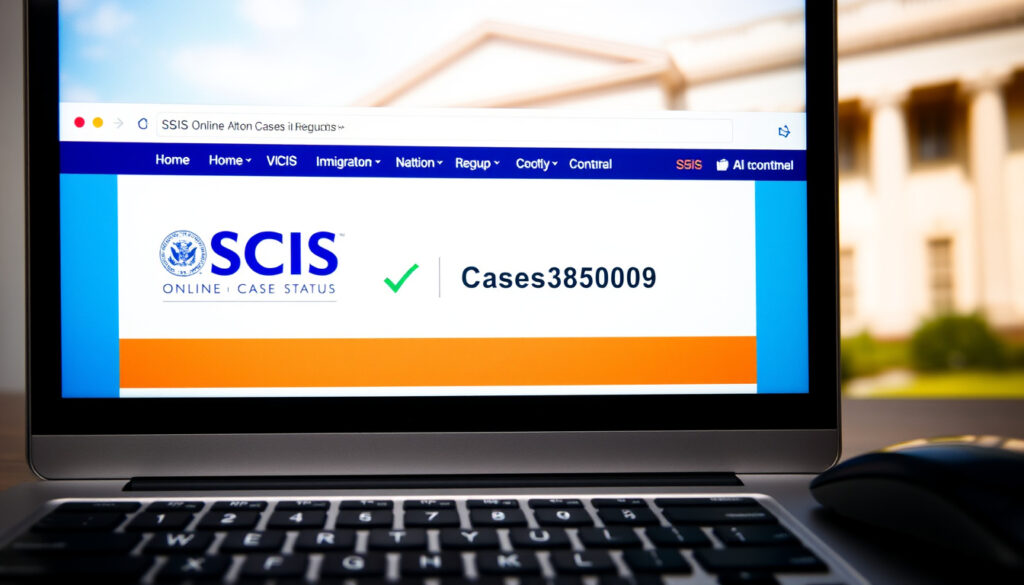
USCIS Case Status Online: How to Check Your Application Status
Anyone who has filed a U.S. immigration application quickly learns that the wait feels longer when you cannot see where things stand. The USCIS Case Status Online tool was built to solve that — a free, 24/7 window into your case. With over 8 million immigration benefit requests filed each year, knowing how to use the tool and interpret its messages can save you frustration and help you spot a problem early.
USCIS cases processed annually: Over 8 million immigration benefit requests filed each year · Online case status tool users: Millions of applicants use the USCIS Case Status Online tool · Receipt number format: 13-character alphanumeric code (e.g., MSC1234567890) · Typical update frequency: Statuses are updated within 24-48 hours after an action is taken
Quick snapshot
- Free, no login required (USCIS Case Status Online)
- Requires 13-character receipt number (USCIS)
- Updates in real time (USCIS)
- Free account creation (USCIS Case Status Online)
- Link multiple cases (Boundless (immigration resource platform))
- Receive email notifications (USCIS Case Status Online)
- USCIS Contact Center: 1-800-375-5283 (USCIS Contact Center)
- Requires personal identification (USCIS Contact Center)
- Wait times vary (USCIS Contact Center)
- Create a myUSCIS account for full tracking (USCIS Case Status Online)
- Set up alerts for status changes (USCIS Case Status Online)
- Verify your receipt number spelling (USCIS Case Status Online)
| Fact | Detail |
|---|---|
| Official tool URL | egov.uscis.gov/casestatus/landing.do |
| Receipt number length | 13 characters (3 letters + 10 digits) |
| Typical update delay | 24-48 hours after an action |
| Number of active case types | Over 200 form types trackable online |
The table shows the core specs you need to start tracking your case today.
How to Check Your USCIS Case Status Online
Checking your case is a four-step process that takes less than two minutes — once you have your receipt number in hand. Here is exactly how to do it.
Step 1: Locate Your Receipt Number
- The receipt number is a 13-character code printed on your Form I-797C Notice of Action (USCIS)
- It also appears on fee-payment notices and biometrics appointment letters (Boundless (immigration resource platform))
- If you have a USCIS online account, you can view your receipt numbers there (Boundless (immigration resource platform))
The receipt number is tied to the specific filing, not to you as a person (USCIS). That means each application type (I-130, I-485, I-765) issued under the same case might generate different receipt numbers.
Step 2: Visit the USCIS Case Status Online Page
- Go to the official page at egov.uscis.gov/casestatus/landing.do (USCIS)
- No login is required for the basic status lookup
- The site is free and available 24/7 globally
Step 3: Enter Your Receipt Number and Submit
- Type your 13-character receipt number exactly as shown — no spaces, no hyphens (DavidsonMorris (immigration law firm))
- Click the “Check Status” button
- The system returns the most recent status message for that case (Alma Immigration (immigration advisory))
Step 4: Interpreting the Status Display
- The page shows a one-line status message — e.g., “Case Was Received” or “Case Was Approved”
- For details on what each phrase means, see the section below on status updates
- USCIS defines each status on its official website (USCIS)
What Is a USCIS Receipt Number and Where to Find It
If you lose the physical notice and have no online account, you are essentially locked out of the basic tool. Here is what you need to know about the number itself and how to recover it.
Format of the Receipt Number
- It consists of three letters followed by ten digits (USCIS)
- Common letter prefixes include EAC, WAC, LIN, SRC, MSC, IOE, and YSC (Vasquez Law (immigration law firm))
- The prefix indicates which service center originated the receipt
Where You Can Find the Receipt Number
- Printed on the I-797C Notice of Action — the top right corner (USCIS)
- Also appears on biometrics appointment notices and fee receipt forms (Boundless (immigration resource platform))
- If you filed online, the receipt number is in your myUSCIS account dashboard
What to Do If You Lost Your Receipt Number
- Option 1: Create or log in to a myUSCIS account — you may see your receipt numbers linked to your profile (Boundless (immigration resource platform))
- Option 2: Call the USCIS Contact Center at 1-800-375-5283 — you will need to provide personal information for identity verification (USCIS Contact Center)
- Option 3: Request a replacement notice via the USCIS e-request system if you believe USCIS caused a mailing error (USCIS Contact Center)
What Do USCIS Case Status Updates Mean?
Once you enter your receipt number, the tool returns a one-line status. These status messages follow a standardized set of phrases used across all USCIS forms. Knowing what each means keeps you from panicking over routine steps.
Common Statuses: Received, Approved, Rejected
- “Case Was Received” — USCIS has accepted your application and issued a receipt number. This is the starting point for every case.
- “Case Was Approved” — A final decision has been made, and an approval notice is being mailed (USCIS)
- “Case Was Rejected” — USCIS determined the application is incomplete or ineligible. You will receive a notice explaining the reason.
Intermediate Statuses: Fingerprint Fee Received, Request for Evidence
- “Fingerprint Fee Was Received” — Your payment for biometrics processing has been processed. The next step is typically a biometrics appointment notice.
- “Request for Evidence” — USCIS needs additional documents or information. A notice will arrive detailing exactly what is required.
- “Case Is Being Reviewed” — Your application is being examined by an officer. Wait times vary by form type and service center.
What “Case Was Approved” Means for Your Application
- USCIS has made a final decision — the approval notice (I-797) will be mailed to the address on file (USCIS)
- If your case was a green card application, you will receive the physical card within 30-60 days
- If the case was a work authorization (I-765), you can begin employment from the date of the approval notice
The pattern: the status messages are binary checkpoints — received, in progress, approved, or rejected. The lag between internal action and the status update (up to 48 hours) is the only gap that matters (USCIS).
How to Access USCIS Case Status Without a Receipt Number
Losing the receipt notice does not mean you are in the dark. Several official paths can help you regain access.
Using myUSCIS Account
- Create a free myUSCIS account at my.uscis.gov
- You can link cases to your account using personal information (name, date of birth, A-number) — no receipt number required
- The dashboard shows all linked cases and their statuses, and you can set up email or text notifications (USCIS)
Contacting USCIS Customer Service
- Call 1-800-375-5283 (TTY: 1-800-767-1833) (USCIS Contact Center)
- You will need to provide your full name, date of birth, and A-number (if available) for identity verification
- Customer service can tell you the current status and any pending notices, but cannot change processing timelines
Checking Through Your Attorney or Accredited Representative
- If you used a lawyer or an accredited representative, they can check your case status through their own account system
- They also receive copies of all USCIS correspondence, including receipt notices and approval letters
- Third-party tools that claim to check status without a receipt number are not recommended — sharing your personal data on unvetted sites poses a security risk (USCIS)
USCIS is clear that the status is tied to the filing receipt number, not the person (USCIS). So if you were a beneficiary on a petition filed by an employer or family member, the receipt number belongs to the petitioner — ask them to share it with you.
Troubleshooting Common USCIS Case Status Online Issues
Even when you have the right receipt number, the tool sometimes behaves unexpectedly. Here are the most common fixes for the biggest problems.
Status Not Updating After Long Period
- First, check the published USCIS processing times for your specific form at the service center handling your case
- If the processing time has passed and the status has not changed for months, submit an e-Request through the USCIS website
- You can also file a service request by phone — explain that your case status has not updated beyond the expected period
Error Messages When Entering Receipt Number
- The most common cause is a typo — double-check every character, especially zeros vs. letter “O” (DavidsonMorris (immigration law firm))
- Remove any spaces, hyphens, or periods from the number — enter only the 13 characters
- If the error persists, your receipt number might not yet be in the system — USCIS aims to mail receipt notices within 10 days after accepting a filing (Alma Immigration (immigration advisory))
Case Status Shows “At NVC” or Other Unusual Phrase
- If your case is a family-based or employment-based green card petition (I-130), it may be transferred to the National Visa Center (NVC) after USCIS approval
- The “At NVC” status means the case is in the Department of State’s visa processing pipeline, not USCIS — you track it at the NVC website
- For other unusual phrases, check the USCIS case status glossary on the official site
Why this matters: most status issues are simple input errors or normal processing delays. The USCIS Contact Center (USCIS Contact Center) directs users toward the e-request system for persistent problems, rather than repeating status checks that return the same result.
Confirmed Facts and What’s Unclear
Confirmed facts
- USCIS Case Status Online is the official tool for checking application status (USCIS)
- A receipt number is required for basic access (USCIS)
- The receipt number format is three letters followed by ten digits (USCIS)
- Status updates are generally accurate but may have a lag of 24-48 hours (USCIS)
- The tool is free and available 24/7 without login (USCIS)
What’s unclear
- The exact time when a status update is posted after an internal decision at a specific service center
- Whether certain status messages are automated by the system or manually entered by an officer
uscis.report, tukki.ai, usciss.us, usa.gov, ilsaa.acf.hhs.gov
Frequently asked questions
How often is the USCIS case status updated?
Statuses are generally updated within 24-48 hours after an action is taken on the case. USCIS does not guarantee real-time updates, so a delay of a few days is normal.
What should I do if my case status hasn’t changed in months?
First, check the official USCIS processing times for your form type and service center. If the processing time has passed, submit an e-Request through the USCIS website or call the USCIS Contact Center at 1-800-375-5283.
Can I check the status of someone else’s case?
Only if you have the receipt number tied to that case, or if the petitioner shares their myUSCIS credentials. The status is tied to the receipt number, not the beneficiary, so access without the number is limited.
Is the USCIS Case Status Online tool secure?
Yes — it is hosted on the official egov.uscis.gov domain and uses encryption. Avoid third-party websites that ask for your receipt number or personal information.
What does “Case Was Received” mean?
It means USCIS has accepted your application and issued a receipt number. This is the first status for any new filing and confirms your paperwork is in the system.
How do I know if my case was approved?
The status will change to “Case Was Approved” and an approval notice (Form I-797) will be mailed to the address on file. You can also check for approval via your myUSCIS account.
What if my receipt number is not recognized?
Double-check for typos — especially zero vs. letter “O” — and remove any spaces or hyphens. If it still fails, the receipt number may not yet be in the system; wait 10 days after filing before calling USCIS.
Can I use the tool on my phone?
Yes — the USCIS Case Status Online page is mobile-responsive and works on any device with a web browser. The myUSCIS account also has a mobile-friendly dashboard.
“Please use our Case Status Online tool to check the status of your case. You will need your receipt number from your USCIS notice.”
USCIS official website (primary immigration agency)
“If you don’t have your receipt number, you can still get status updates by contacting the USCIS Contact Center after verifying your identity.”
USCIS Contact Center (immigration support service)
For anyone waiting on a visa, work permit, or green card, the gap between a USCIS action and your awareness of it is the most stressful part. The Case Status Online tool cuts that gap to 48 hours. Your job is simple: have your receipt number, type it correctly, and check once a week. The alternative — calling, guessing, or paying a third-party service — is slower, less secure, and entirely unnecessary.
More related posts
 Acura TLX A-Spec Review: Specs, Horsepower, and Price
 Mama June Family Crisis: Latest Updates and Where to Watch
 Nobody Wants This Season 3: Release Date & Cast Confirmed
 Outlook Email Sign In: Guide for Web, Mobile & Desktop
 How to Find AirPods: Locate Lost Earbuds With Find My
 Buy Here Pay Here Near Me: A Complete Guide for Low-Income Buyers
 Massage Parlor Near Me: Find Safe Spas in Dublin & Avoid Scams